
Your drives.One shared storage layer.
SYNVirt vSAN brings your cluster’s drives together as shared storage. An assistant guides you through creating and protecting it.
- From 3 hosts
- Built into HCI Cloud Cluster
- Policy-based protection
A setup you can follow.
Hosts, drives, networking and protection. Walk through the assistant with every decision in view.
Interactive demo with illustrative data. No drives are changed and no storage is created.
Open assistantMake informed choices.
See what you contribute, what you protect and what remains for your applications.
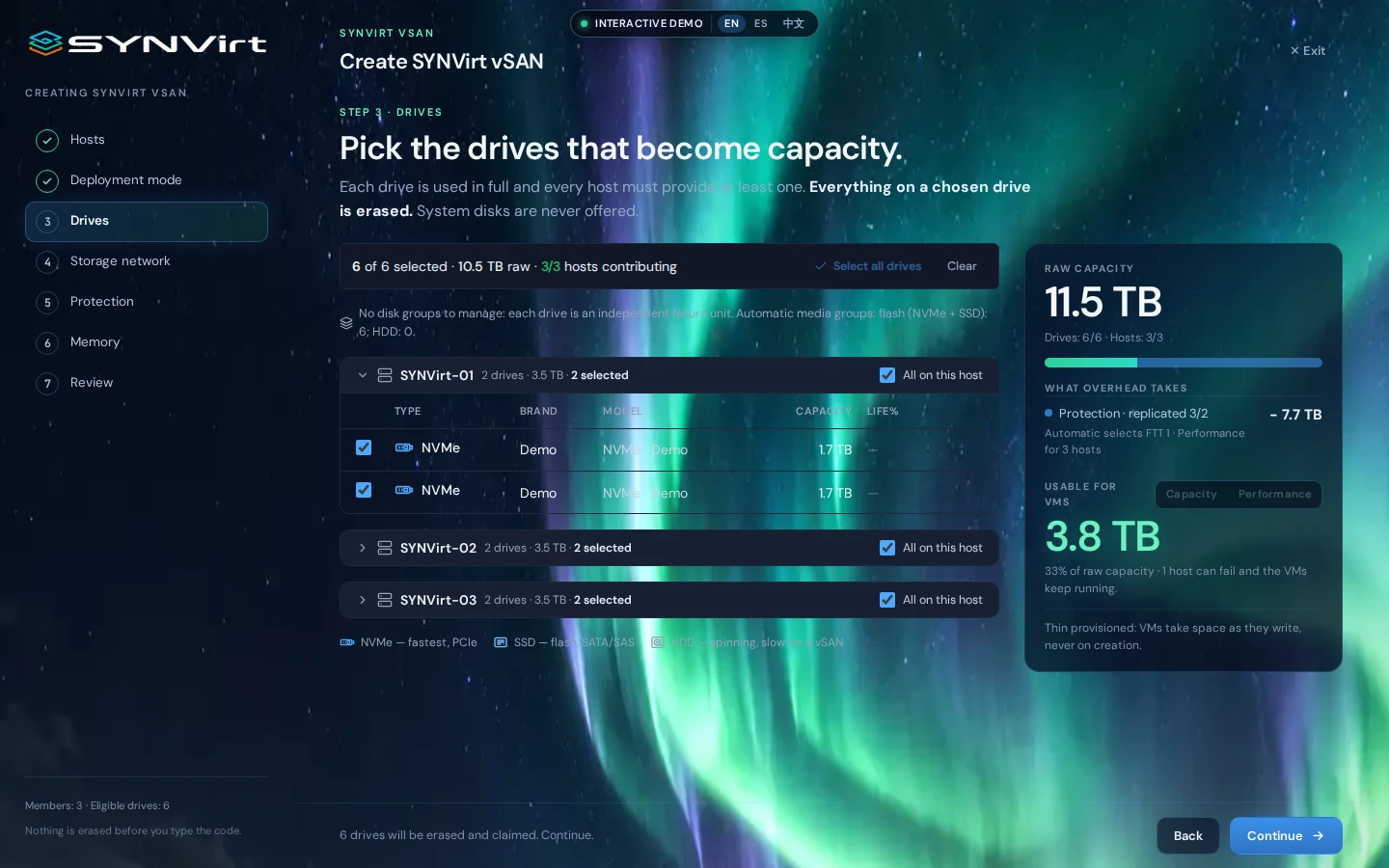
Every drive has its place.
The assistant identifies available drives on each host. Choose which ones contribute storage and review raw capacity.
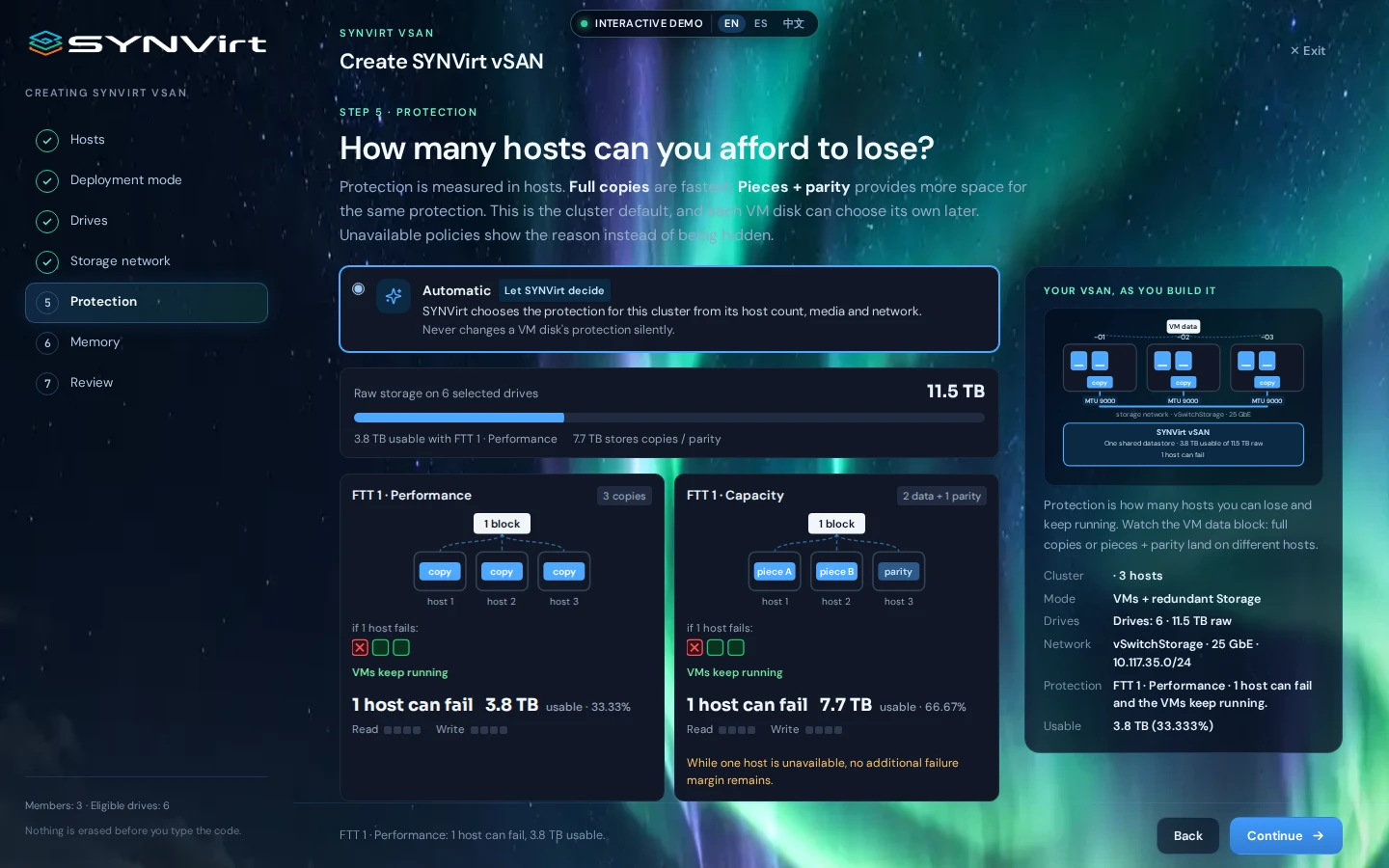
ProtectionSee your protection.
Compare the policies available for your cluster. See how data is distributed and how usable capacity changes.
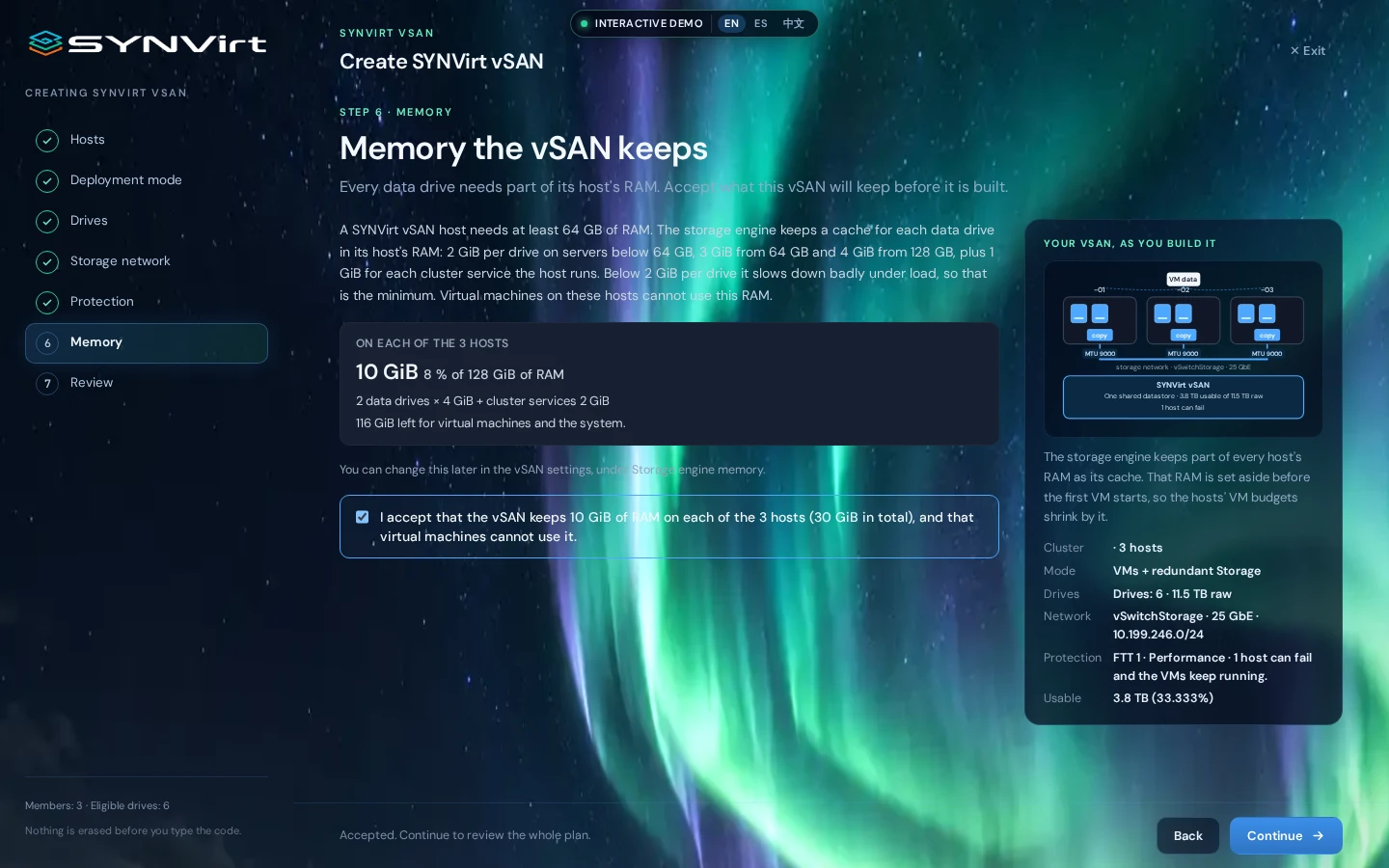
MemoryMemory matters too.
Before creating, review the RAM storage needs and how much remains for virtual machines.
Shared from the start.
Your VMs, one storage space
Cluster hosts access the same storage. VM disks no longer depend on the local storage of a single host.
Health you can understand
See health, capacity, drives and performance in the SYNVirt vSAN view. Diagnostics show individual results and warnings.
Capacity you can plan around
Distinguish raw, usable and allocatable capacity. Review protection and available space before assigning it to your workloads.
Before you begin.
What do I need?
An HCI Cloud Cluster with at least three hosts, suitable drives and a storage network sized for your workloads. The assistant checks members and networking before preparing the plan.
Is all raw capacity available?
No. Protection uses part of the space, and operational headroom is reserved. Usable capacity depends on drives, hosts and the selected policy; review it in the assistant.
What happens if a host fails?
It depends on the policy, cluster health and available resources. Distributing data across hosts enables failure tolerance within those limits. In a three-host cluster, some policies require the host to return before protection can be rebuilt.
What should I review before creating?
Selected drives, networking, protection policy and reserved memory. Creating SYNVirt vSAN prepares and erases the selected drives: the product requires explicit confirmation first.
What technology powers it?
SYNVirt vSAN uses Ceph for distributed storage and RBD for virtual disks. SYNVirt integrates configuration and management into the platform.
One cluster.
More possibilities.
Explore HCI Cloud Cluster or tell us what you need to store.