

Virtualization.
On your terms.
Run virtual machines, storage and networking with SYNVirt. From your first server to a connected infrastructure, keep your operations in view.
VMs, storage and networks.
One console.
SYNVirt brings KVM virtual machines, ZFS storage and Open vSwitch networking into one interface. Start with a host. Explore the tools for everything around it.
Explore the platform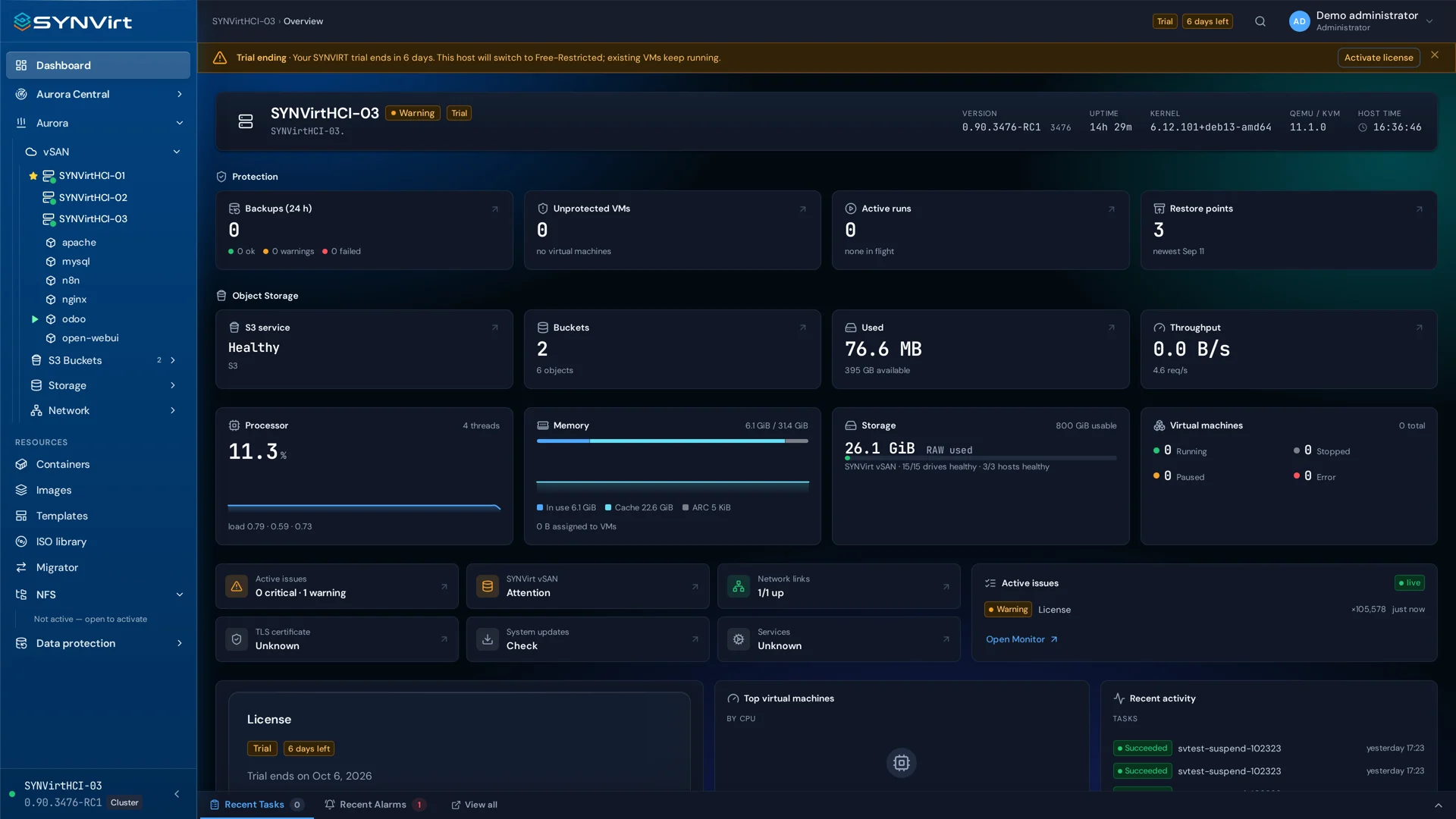
Tools for your infrastructure
Manage virtual machines, ZFS storage and Open vSwitch networks. Explore the tools for deployment, recovery and day-to-day operations.
Compute & access
Virtual machinesFrom the first VM to daily operation.VM creation wizardPrepare a virtual machine one step at a time.VM templatesTurn a prepared guest into a repeatable starting point.Enhanced consoleVideo up to 4K at 60 FPS, with audio in your browser.ContainersCluster ServicesCoordinate cluster resources and operations.Storage
StorageLocal, distributed, file, object and block storage. Explore each service on its own page.ZFS ArraysOrganize local disks with ZFS.SYNVirt vSANShared storage from the disks in your cluster.NFS FoldersShare folders with defined access.S3 ObjectObjects and buckets through S3-compatible access.SYNFS — iSCSI / Fibre Channel blocksIntegrate shared SAN storage.Data & networking
VM snapshotsKeep a point-in-time state before changing a virtual machine.NetworkingGive every workload its connections.Backup & recoveryPlan recovery before you need it.Operations & cloud
Migration & importBring existing workloads into view.Cloud & federationCloud Clusters with an included HAProxy load balancer.Aurora OpsExplore Aurora and federation in SYNVirt.Security & visibilityOperate with a record of what happened.Monitoring & auditFollow the activity behind your infrastructure.Aurora Ops.
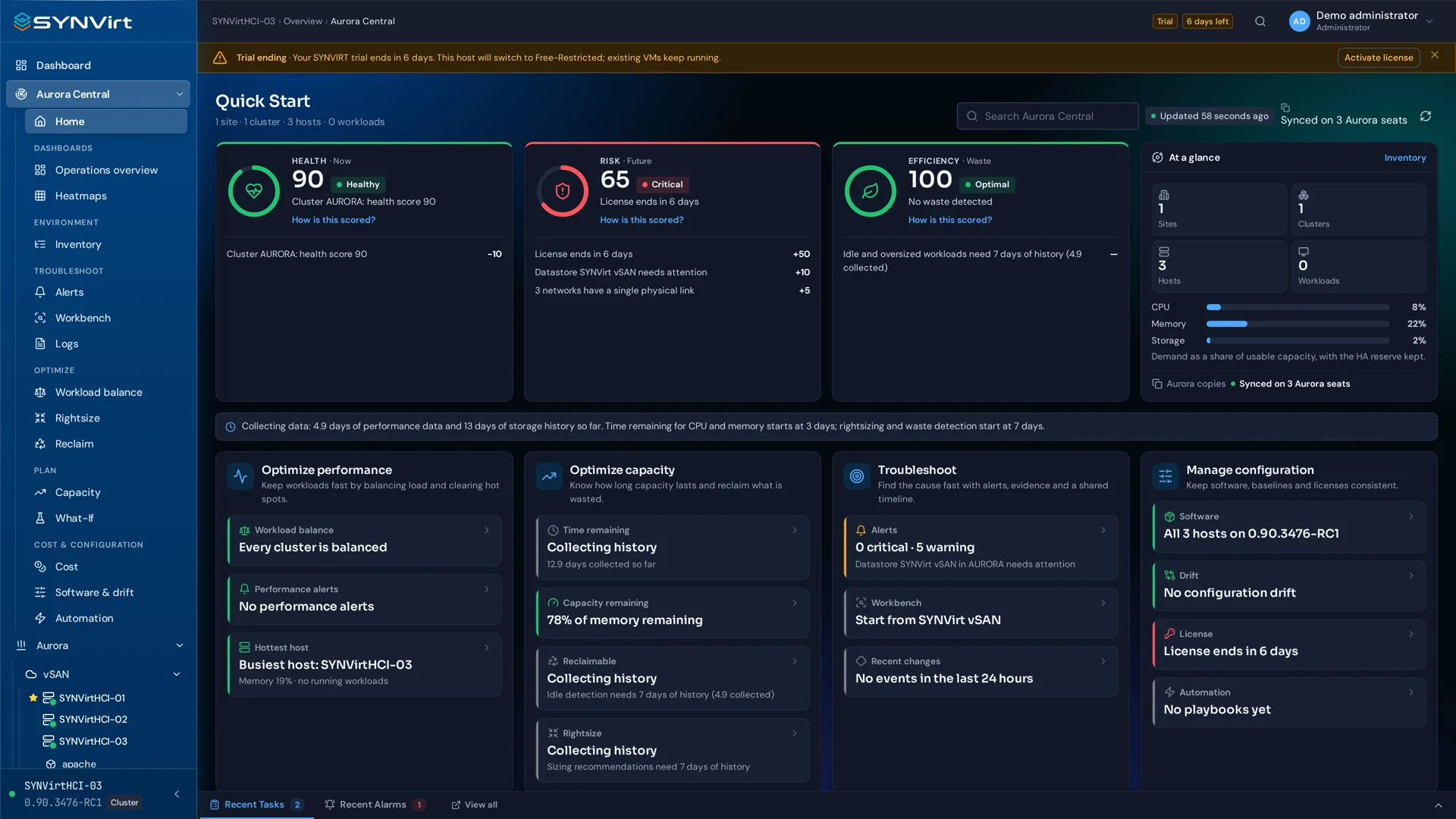
Hosts, Cloud and federation.
Explore the relationship between hosts, Cloud and federation. Discover Aurora Ops and review the supported scope for your deployment.
Discover Aurora OpsThe demonstration and supported scope will be confirmed for the selected release.
Choose how you deploy.
Free Edition, StandAlone or HCI Cloud Cluster. Commercial editions are licensed annually per 32 cores.
Free Edition
Start with the free edition of SYNVirt.
Free edition
Find installation media and version information on Downloads.
DownloadsStandAlone
A focused starting point for operating a single host.
per 32 cores / year
Each annual license covers 32 cores.
Choose editionHCI Cloud Cluster
For evaluating a multi-host, federated infrastructure deployment.
per 32 cores / year
Each annual license covers 32 cores.
HCI includes 20 TB of raw storage per cluster. Each additional raw TB costs US$25/year, in addition to compute licenses.
Choose editionSYNVirt, in motion.
Meet SYNVirt and Aurora Ops in this short brand introduction.